> For the complete documentation index, see [llms.txt](https://hackerbot-industries.gitbook.io/documentation-hackerbot-industries/llms.txt). Markdown versions of documentation pages are available by appending `.md` to page URLs; this page is available as [Markdown](https://hackerbot-industries.gitbook.io/documentation-hackerbot-industries/software/command-center.md).
# Command Center
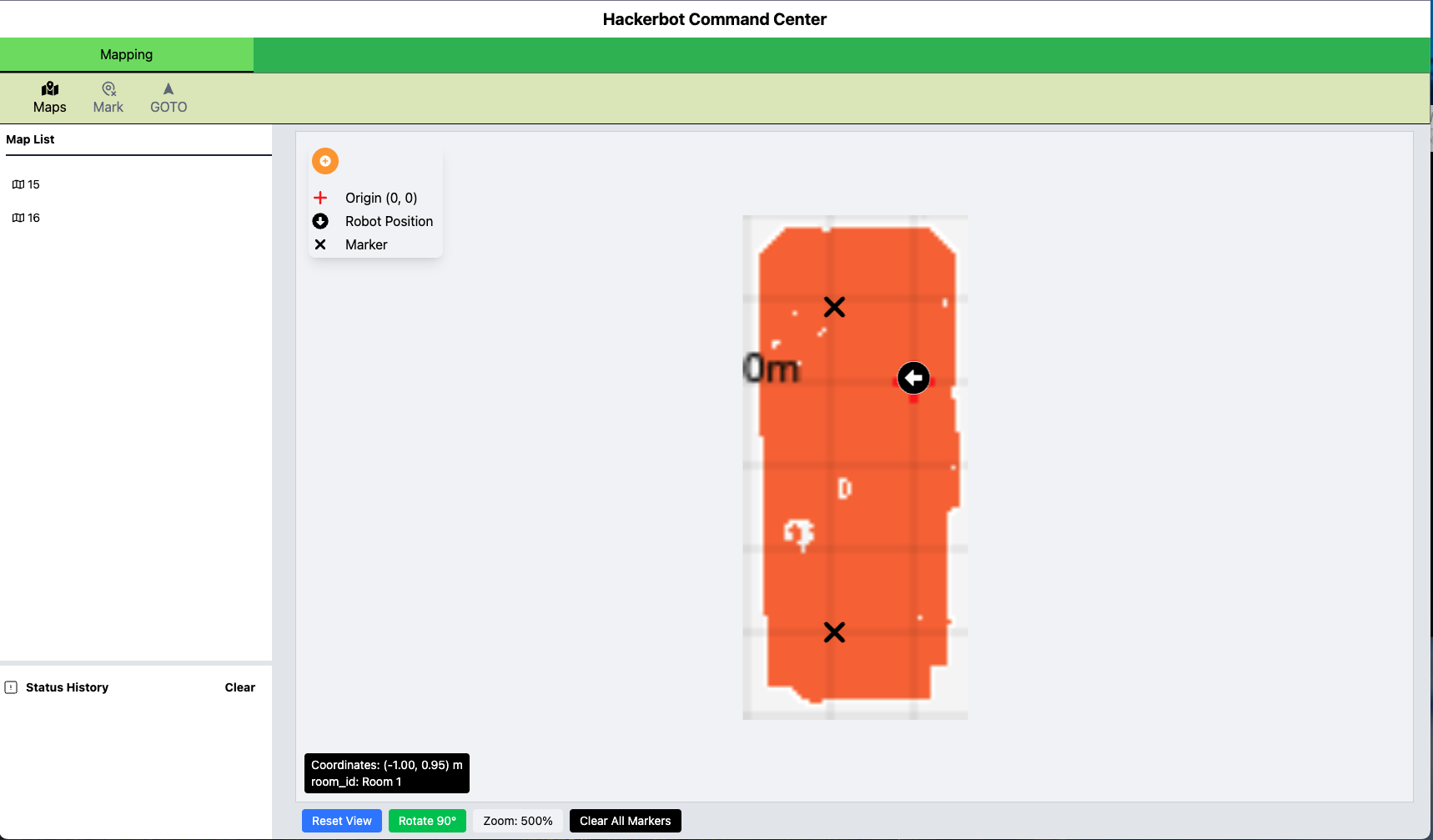
It's a web interface built with react, it visualizes the map fetch from the robot and allow the user to interact with it.
{% hint style="info" %}
Make sure you have a map of your space first. If you don’t, use the Tuya app to create one. You can watch a step-by-step tutorial [here](https://www.youtube.com/watch?v=sLXTF0cDsak\&t=240s).
{% endhint %}
To launch this interface, launch the [flask server](/documentation-hackerbot-industries/software/flask-apis.md):
```sh
launch-flask-api
```
Then launch the command center:
```sh
launch-command-center
```
If successful, you should see something like:
```
---------------------------------------------
STARTING HACKERBOT COMMAND CENTER
---------------------------------------------
Cleaning up existing process
---------------------------------------------
SUCCESS! Hackerbot Command Center is Running!
React Frontend: http://localhost:5173
http://10.1.10.110:5173
Log file: /home/bobby/hackerbot/logs/hackerbot_react_202505131509.txt
---------------------------------------------
```
Then you can navigate your browser and open the url from the output. You should be able to see the map you create with Tuya!
In the Maps section, you can choose which map you want to load.
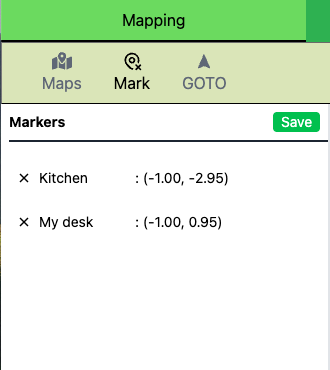
In the mark section, you can add mark position on the map and save it.
\
In the GOTO section, you can select a marker for the robot to navigate to.
To stop this process, run the stop script:
```sh
stop-command-center
```
If successful, you should see something like:
```
---------------------------------------------
STOPPING HACKERBOT COMMAND CENTER
---------------------------------------------
Stopping React processes...
All React-related processes stopped.
---------------------------------------------
HACKERBOT COMMAND CENTER STOPPED
---------------------------------------------
```
Here's a video of using Command Center to navigate:
{% embed url="" %}